Posts

Showing posts with the label MOSS 2007

Components that could break after SharePoint upgrade

Although you can predict most of the stuff that could go wrong after a SharePoint upgrade or migration but still there are chances that you miss something. I have compiled a list of components that could break or stop working after you move to new SharePoint environment. I'll be updating this post whenever i found anything else breaking after SharePoint upgrade. I apologize for my rough formatting. :) InfoPath: Connections with external services and libraries. Connection with User Profile Service Application. When upgrading to 2013 from 2010, you need to update where fetching User Information like User Name User Friendly Name. SharePoint 2013 works on Claims Based Authentication so InfoPath 2010 Form Views may crash if you are showing view on user based. OneNote: OneNote Sync URL change OneNote not syncing Static URLs: Static URL's used in Web Pages, Always use relative URLS Connected Excel Files: Data exported in Excel files could break if URL change after mig...
SharePoint Web Services Error : An item with the same key has already been added

Image
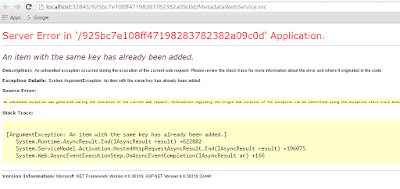
Hi There, Recently i found that none of my SharePoint 2013 application services are working. Crashing and throwing unknown multiple kind of errors in event viewer. One of the famous error that i found was below with Event ID 3. [code]WebHost failed to process a request. Sender Information: System.ServiceModel.Activation.HostedHttpRequestAsyncResult/47208365 Exception: System.ArgumentException: An item with the same key has already been added. at System.Runtime.AsyncResult.End[TAsyncResult](IAsyncResult result) at System.ServiceModel.Activation.HostedHttpRequestAsyncResult.End(IAsyncResult result) Process Name: w3wp Process ID: 12724 [/code] While troubleshooting i noticed that none of SharePoint Web Services are browsing and crashing with below error. I knew that it isn't any SharePoint specific error so i tried to recall the changes i have done on server. Server Error in '/925bc7e108ff47198283782382a09c0d' Application. An item with th...

MOSS 2007 Error While Central Administration Navigation

Image
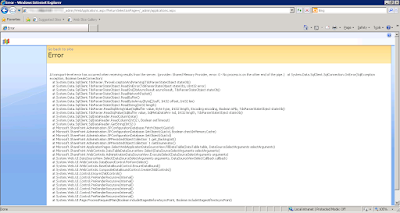
Hi There, We got an error while using SharePoint 2007 or MOSS 2007 in our production farm that whenever we navigate to few links in MOSS 2007, the pages seems crashing. SharePoint threw some unexpected errors with a correlation ID. Nothing special found in ULS logs regarding this crash. SharePoint was working fine with no issue. Each and every MOSS site was working as expected. The issue was only with SharePoint 2007 Central Administration. After some troubleshooting we were able to locate some error and noticed that its throwing from SQL server side not any SharePoint crash. Digging out more confirmed its a SQL server issue. Below are the error details. Error: A transport-level error has occurred when receiving results from the server. (provider: Shared Memory Provider, error: 0 - No process is on the other end of the pipe.)   at System.Data.SqlClient.SqlConnection.OnError(SqlException exception, Boolean breakConnection) ...

SharePoint Integration Mode SSRS : Permissions granted to user are insufficient for performing this operation

Image
Hi There, Its December 30 2015 12:30 PM and my team has to show demo to client at 02:00 PM. Received a call from my team that editing a data source from a SharePoint list is throwing an error. Wow, that's critical and i would love to fix this. I quickly googled and tried every solution i found on first page but didn't work. "Google says, the best place to hide a dead body is on google's second search page." So i navigated to move ahead with search on second page and found  this  awesome post that fixed my issue. I took the below steps which didn't helped me. 1. My permissions was OK on reporting DB,s 2. The account i am using for editing the data source was the system account 3. Restarted the SQL Server Reporting Services in SharePoint CA BTW, i am running SharePoint 2013 in a three tier farm architecture with SSRS SharePoint Integration Mode. Below are the error details... The permissions granted to user ‘ domain\username ’ are...

SharePoint 2010: Post service accounts password changes steps

Depending on farm size and topology, it will require you ~2 or more hours to change password and test the SharePoint farm and services after password rotation. Once the passwords has been changed in AD, you'll need to update passwords in farm ASAP to minimize the downtime. Mentioning few places in SharePoint where you must update service account with a new password after password rotation.   Browse your web applications one by one to ensure that all are up and running. Run User Profile Service and Start Incremental Crawl to make sure it works fine. Depending on your farm needs, test the other rest of applications and services. Expected Error Details Workaround Central Administration or Sites Down. Error: Cannot connect to the configuration database. Change passwords for SQL Server (MSSQLSERVER) and SQL Server Agent (MSSQLSERVER) services in DB Server Services Console Services down in Services Console...

Why 1250 items, if the limit is 5000 - SharePoint List Threshold

It was quite challenging and surprising as well for me that why SharePoint list is showing 1250 items only while the threshold limit it set to 5000 items. I found this  link  but it wasn't so much helpful to understand the reason.  As per Microsoft on this   article, SharePoint list shows 1250 items in the following scenario.  "If a user creates or loads a view that cannot use an index to query the list, then Metadata Navigation and Filtering will construct and execute a fallback query. A fallback query is a modified version of the original user query that displays a partial set of the items requested because it queries against only a portion of the list instead of the entire list. It is intended to provide you with some useful results in circumstances when the original query is blocked due to large list throttling. Up to 1,250 of the newest items are displayed based on when those list items were added to the list. Occasionally, fallback querie...

Sorting SharePoint list item attachments in alphabetical order (Fixed)

Image
Note: Please read the complete article and notice the changes. It 100% worked for me. SharePoint 2007 provides an OOTB facility to sort list item attachments in alphabetical order while SharePoint 2010 don't. I have googled around for many days but could not find any OOTB feature that can help me out to do so. So i decided to go with custom JS code. I found the  article by Sopholos  and it was the main turning point for me. Here is the final result of my list item. I copied the code as per on his article (in Russian) and pasted in my v4.master page. Absolutely nothing happened :o) . I dug  into it and used my programming skills and found that I was not using the code at the right place. I moved the code from top of the page to its bottom, used alerts to check if the code is running or not. Final screenshot below... 1. Use below JS Code and save it with name TSorter_1.js to user it later in your code. /*------------------------------...

K2:Domain\Username does not have rights to export processes k2

Image
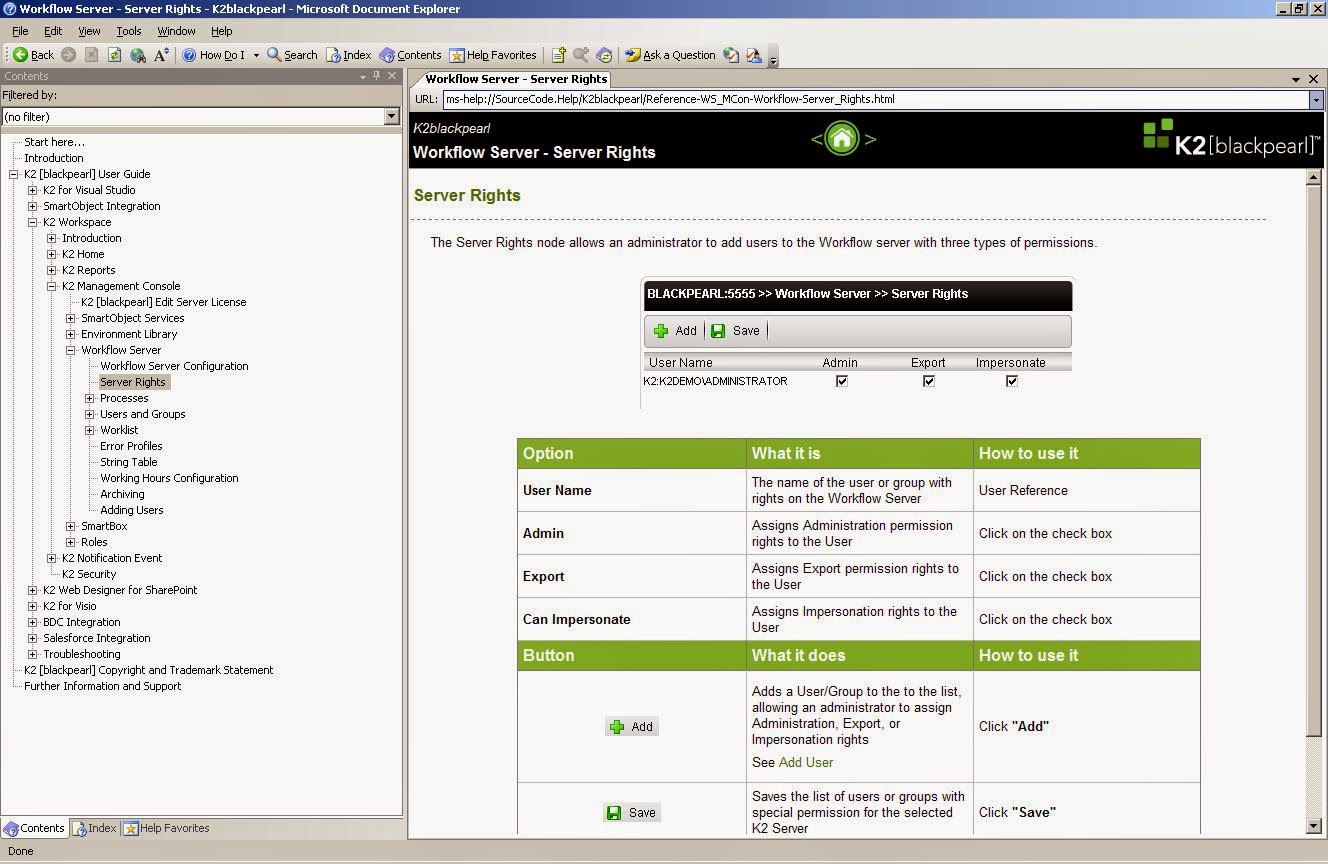
While working on K2 deployment i encounterd the dollowing error.  K2:Domain\Username does not have rights to export processes k2 There is an easy fix for it. It simply points some access denied issue so below is the fix. Fix:

How to find which pages are using a specific web part in MOSS 2007 or SharePoint 2010 site collection?

I got a utility with the help of one of my colleague to find w here is a custom web part used in SharePoint page? Download the utility from the below link. http://wikisend.com/download/302420/WebPart Finding Utility.zip 1. Open CMD 2. Navigate the path where you have placed the utility 3. Run Utilityname.exe sitecollectionURL nameofthewebpart       GetWP.exe  http:// test.contoso.com   view Where GetWP.exe is the utility name, http://test.contoso.com is the site collection URL and View is the name of the webpart. Full name is not necessary for webpart, you can use any sub string of the name. eg. listviewrollup = view Hope it helps someone. Thank You

Convert MOSS 2007 DB to SharePoint 2010 Content DB using STSADM

Here are the steps... - Get a DB backup from MOSS DB (SQL) server - Restore it on SharePoint 2010 DB (SQL) Server - Run the stsadm command below stsadm.exe –o addcontentdb –url http://mytargertwebapplication:portnumber/  -databasename “put DB name here” -databaseserver "SP2010 DB Server” OR stsadm -o addcontentdb -url "http://mytargertwebapplication:portnumber/ " -databasename put DB name here -databaseserver SP2010 DB Server