Posts

How to use CAML query with SharePoint 2013 List

Image
Hi There, So its a very basic question that how would you use a CAML query to fetch items from a SharePoint list? Its very simple to use and very fast as compared to other list query options. Below is the stuff to understand. I have a list that have Posts of my blog as its a blog site. I have to query below few columns using their internal names.  To find internal name of the columns, you can use a tool "SP CAML Query Helper Online"  or try with any other method. This tool is very helpful in building CAML query. In below screenshot i am using internal name of "# Comments" which is  "NumComments". The Code:                   I am getting most recent three items from the list based on the created date and order by Created date descending.  The columns you wan to select from the list should be in ViewFields. private SPListItemCollection GetListItems ( SPList oList ) { ...
MOSS 2007 Error While Central Administration Navigation

Image
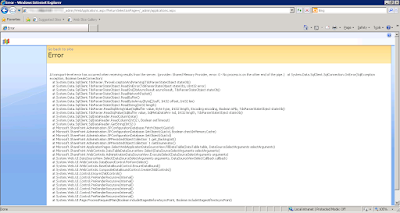
Hi There, We got an error while using SharePoint 2007 or MOSS 2007 in our production farm that whenever we navigate to few links in MOSS 2007, the pages seems crashing. SharePoint threw some unexpected errors with a correlation ID. Nothing special found in ULS logs regarding this crash. SharePoint was working fine with no issue. Each and every MOSS site was working as expected. The issue was only with SharePoint 2007 Central Administration. After some troubleshooting we were able to locate some error and noticed that its throwing from SQL server side not any SharePoint crash. Digging out more confirmed its a SQL server issue. Below are the error details. Error: A transport-level error has occurred when receiving results from the server. (provider: Shared Memory Provider, error: 0 - No process is on the other end of the pipe.)   at System.Data.SqlClient.SqlConnection.OnError(SqlException exception, Boolean breakConnection) ...

The partial project item type does not have a value for this property. Visual Studio 2012 & SharePoint

Image
Hi There, I am building a custom master page for SharePoint branding and noticed that my Visual Studio 2012 shows a red cross sign on the master page module. As soon as deploy the solution, it throws the error below. Error: The partial project item type does not have a value for this property. Thanks to Muhammad Tayyab Khan for writing this post. It solved my problem. Solution was very simple. Modified the " SharePointProjectItem.spdata " on which module its showing red cross sign to  added the value SupportedTrustLevels ="All"   SupportedDeploymentScopes ="Web, Site"   in the <ProjectItem> . It will look like below. Redeploy the solution. It worked for me and no more error. Update (02/29/2016): Although it fixed my error but the Red Cross icon was still showing on adding SharePoint item in the solution. I installed Visual Studio update 3 and it fixed my problem. https://social.msdn.microsoft.c...

Apple iPhone sending SMS automatically 00447786205094

Image
Hi There, I have just noticed that my credit is being deducted from my mobile account. I am in Pakistan and using Warid Tel network. I see my mobile credit details after few hours on my screen. This facility is provided only by Warid Telecom that they provide your credit details each time you make a call or send SMS. I checked my Message,Calls logs emails logs etc but no point where i can check that why me credit is being deducted. Absolutely nothing found. :-/  I called Warid Tel support center and the guy told me that there are 4 SMS that have been sent internationally from my iPhone 5. Whattt???? :O I have't sent even a single one. He was bound not to tell me the number however i found that number from Warid Tel online customer portal. That magical number was  00447786205094. Warid Web Self Service Portal I googled and found that its UK number and an iPhone application Facetime/iMessage used to send text to this number for their activation wi...

SharePoint 2013 Workflow Manager supports only odd (1 & 3) servers in Workflow Manager Farm

Hi There, Yes that is true...! Probably i am the only one who is late to know this but just want to share it if someone else missed it too. I have recently configured a SharePoint 2013 farm with 2 WFEs, 2 APPs and 2 DB servers (in Active-Passive mode with failover setup). I have configured SharePoint Workflow Manager on all of the WFE and APP servers to build WFM farm. Everything worked fine until we faced an issue that republishing the SharePoint Workflows are not working and causing workflow crash. We opened a ticket with Microsoft and they told that Workflow Manager do not support even number of servers (4 in our case). Workflow manager supports only odd (1 or 3) servers in a Workflow Manager farm. Strange but true. I believe it could be due to the limitations of Service Bus as Workflow Manager depends on it. Service bus supports only odd servers 1,3 and somewhere i have read that now it can support 5 servers. Conclusion: While configuring your Workflow Manager far...

Workflow Manager Supports Odd Servers Farm SharePoint 2013

Hi There, I didn't know this before about Workflow Manager (although had this idea about Service Bus) that Workflow Manager do not support  the Workflow Manager farm in even numbers. You can have 1 or 3 Workflow Manager servers not 2 or 4. Workflow Manager farm only works with odd number of servers in the farm. I believe this is due to Service Bus limitations. See references for more. Reference:  https://msdn.microsoft.com/en-us/library/jj193434(v=azure.10).aspx https://msdn.microsoft.com/library/azure/jj193010(v=azure.10) .aspx

User Profile Service Connection Disabled After Creating

Image
Hi There, This is SharePoint world and we see multiple strange behaviors of SharePoint sometimes. Today i have creating a new User Profile Service and created a User Profile Service AD Synchronization Connection. However, after populating the containers and creating a connection successfully i tried to add a filter in the connection but noticed that my connection is not editable. Whatttt???? Yeah... User Profile Service AD Synchronization Connection seems disabled and not showing the dropdown for edit. Here is how it looked to me. I googled around but found no clue. However, a point suddenly hit my mind and i changed the Zone of my CA url from Trusted Zone to Intranet Zone in my IE settings. Refreshed the page and Boooommmm.....! It worked. Happy SharePointing...!