Posts

How to set "Search" button as default on Enter using Javascript

How To set Default Button  for ENTER key pressed event? Or Setting enter key   default button  when login control and  search   ? You can submit a form when you enter something in a search field and press Enter (Return) button on keyboard using javascript code. < input type ="text" name ="searchFor" onkeydown ="if(event.which || event.keyCode)                                                      {if ((event.which == 13) || (event.keyCode == 13))                                                      {document.getElementById('your search button ID').click/>

Failed to connect to the Internet once repaired LAN connection

Image
Some times windows throws this error when you repair your LAN connection and then could not connect to the internet until you reboot your system. The error comes " windows could not finish repairing because renewing your ip address " once you click Repair option. Then you can not connect to the internet once you repair  your wired or wireless connection. Solution: Go to Control Panel >> Administrative Tools >> Services Locate DHCP Client and start it. That's It.

How to connect C# with MS Access database using OledbConnection

Image
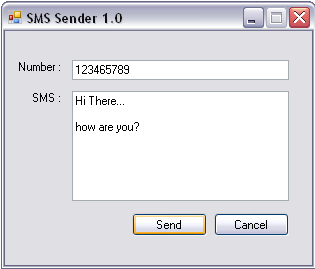
1 : Include Files: using System.Data.OleDb; using System.Data; 2 : Declare variables that intract with DB          OleDbConnection conn;         OleDbCommand comm = new OleDbCommand ();         DataTable dt = new DataTable ();         OleDbDataAdapter da = new OleDbDataAdapter (); 3 : Write a method to  Create Connection private void CreateConnection()         {  conn = new OleDbConnection ( "Provider=Microsoft.Jet.OLEDB.4.0;data source=d:\\sms.mdb" );          if (conn.State == ConnectionState .Closed) {                 conn.Open(); }             comm.CommandType = CommandType .Te...

Hide some of the field in telerik MVC Grid PopUp edit or any other Edit Mode

Hi there... Hide any field in telerik mvc grid edit mode. Here is a general idea, may be some error in code as it works perfect for my project but may be different for others. 1. Add a client side event in your grid .ClientEvents(events => events                             .OnEdit("onEdit")                             ) 2. Write the onEdit event in javascript It finds the column name, then you can hide the column by css property. function onEdit(e) {       $(e.form).find("#myModelPropertyName").closest(".editor-field").prev().andSelf().remove();     } Thanks.

How to change the date format in Telerik mvc grid inline edit mode

Image
Telerik mvc grid inline edit mode” finally I got a solution by which we can change the date format while using Telerik mvc grid inline edit mode. Here is the simple code. 1.  Just add a client side event to your grid .ClientEvents(events => events                             .OnEdit( "onEdit" )                             ) 2.  Add this event in your javacript code function onEdit(e) {         var dataItem = e.dataItem;         var sDate = new Date(dumpDate(dataItem));         if (isNaN(sDate.getMonth())) {             ...

Telerik mvc grid datepicker not showing up the grid date in the Inline Edit mode

Image
Hi, it seems the most common problem in telerik grid inline edit mode that the datepicker is empty or the date format changes while you edit a row. I have tried with various tricks by changing the format in  Views\Shared\EditorTemplates\DateTime.cstml , sometimes it works but sometimes we need some customer format to show the user while picking up the date. For example we are showing the date in this format 19/July/2012 but we want to show the user in this format while he pick a new date to change 19/07/2012 So let me explain how we can customize date time format in Telerik mvc grid inline edit mode. I guess you have no need to touch Views\Shared\EditorTemplates\DateTime.cstml for this purpose. 1.   Add a client event in your grid .ClientEvents(events => events                             .OnRowDataBound( "on...

How to add a custom button in Telerik MVC Grid Column with Edit and delete Button

Image
Telerik MVC Razor Code : columns.Command(commands => { commands.Edit().ButtonType( GridButtonType .Image);                                      commands.Custom( "myButtonName" ).ButtonType( GridButtonType .Image).Action( "myAction" , "myController" ).Ajax( true ); commands.Delete().ButtonType( GridButtonType .Image); }); Javascript Code : You can also assign a custom style to the button by using client side event onRowDataBound. Here is the code. function onRowDataBound(e) { var del = $(e.row).find($( '.t-icon.t-ProcessPayment' ));         del.css( 'background-image' , 'url("/Content/Images/SettingsBG.png")' );         del.css( 'background-repeat' , 'no-repeat;' );         del.css( 'background-position-x' , 0);       ...